A Fiverr custom offer is a written proposal for a buyer already in a conversation, when the request does not fit a published Gig package as it stands. It is still an order on Fiverr, not an off-platform deal. Fiverr's Terms of Service (Last update: January 2026, opened on Fiverr's legal portal on 13 November 2026) define custom offers as "exclusive proposals that a Seller can create in response to specific requirements of a Buyer."
Marketplace basics live in the guide to how Fiverr works. The first-order post already mentions a custom offer in passing, during first Fiverr conversations. This article is the when-and-how, based on Fiverr Help checked on 13 November 2026.
When a custom offer is useful
A custom offer is useful when a buyer wants a scoped change to an existing Gig, extras asked for in chat, or a brief that is close to the Gig but needs a different delivery time, quantity, or package mix. If the request is a poor fit, decline it rather than under-pricing a published package. If a buyer has viewed a Gig but has not ordered, diagnosing impressions without orders is a different problem; a custom offer is for a conversation that already has a specific request.
Fiverr's page "Creating and managing custom offers" (updated 9 November 2026, checked 13 November 2026) says custom offers "can be sent through your inbox on the desktop site or the mobile app" and that "once a client accepts your offer, the order starts automatically." "All freelancers with an active Gig can send custom offers." The same page does not say a seller can send a custom offer to someone who has not contacted them. It does say that clients who do not see the service they need on the Gig page "can click Request a Quote to ask for a custom offer." This article does not guess beyond that.
Custom offers and Buyer Briefs
Inbox custom offers and Briefs should not be merged. Fiverr's Help article "Personalized offers (Briefs) for freelancers," checked on 13 November 2026, now opens with: "Mira AI Headhunter has fully replaced the Briefs feature. For the time being, you can still access your previous jobs by selecting Your Briefs from the avatar menu." A separate Help article, "Finding talent with Mira," checked the same day, describes Mira as Fiverr's AI headhunter, "currently rolling out gradually, so not all users have access yet," and available on desktop and mobile web, "not available yet on the iOS or Android apps."
The Briefs article still contains older step-by-step text below that replacement sentence. Those leftover steps are not used here as current instructions. The live intake path Fiverr now names for that product is Mira, and even that is rolling out gradually. The inbox custom offer, sent from a conversation, is the tool this article describes.
What the offer needs to include
The Help page lists limits that apply to all custom offers, as of the 13 November 2026 check:
Price: a minimum of $5 USD up to a maximum of $20,000 USD.
Revisions: between 0 and 20, or Unlimited.
Delivery time: 1 day to 90 days.
Fiverr also lists four order types. Single payment is for a one-time delivery and payment. Subscriptions are for repeat work and "can recur daily, weekly, or monthly for up to six months." Milestones are for work in phases, "up to five steps," with payment as each task is completed. Hourly work uses an hourly rate and a weekly hour limit. "Milestone and subscription custom offers are only available in specific categories."
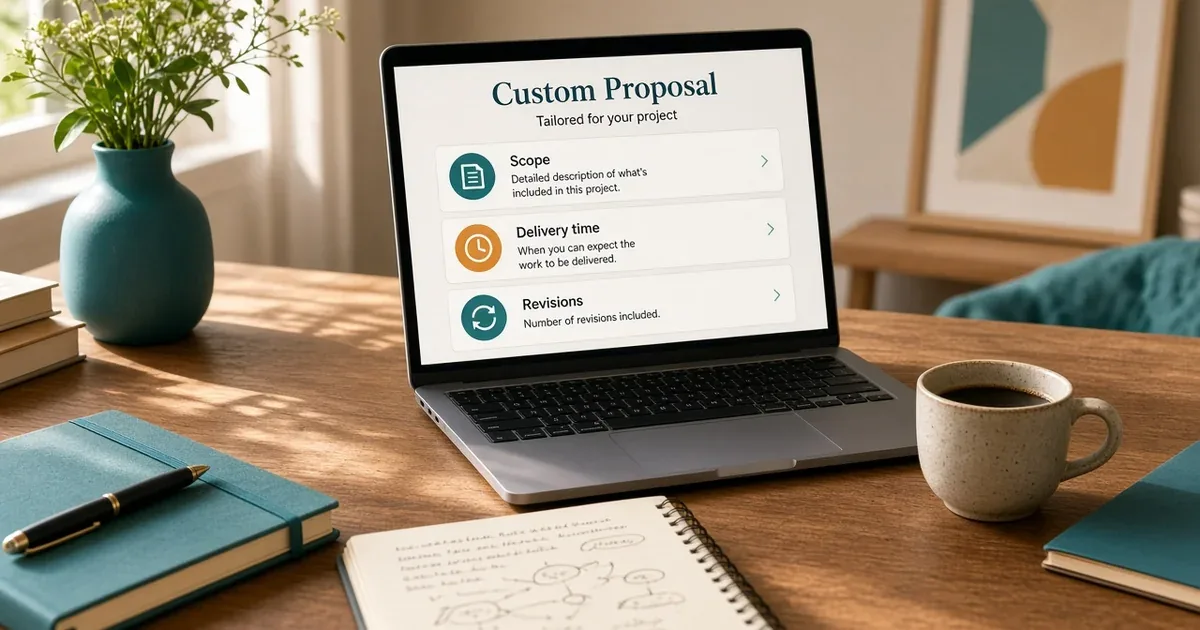
The offer should restate the Gig it is tied to, the scope, what is not included, the price, the delivery time, and the included revisions. Optional settings described on the page include an expiry date and, on mobile, skipping Gig Requirements. Do not rely on a chat promise that never made it into the offer. What the buyer accepts is the offer text.
Seller fees on a completed custom-offer order follow the same fee rules as other Fiverr orders. Those figures belong in the dated post on Fiverr seller fees, and are not restated here.
How to create the offer
Fiverr's desktop steps, checked on 13 November 2026, are: log in and go to messages, click See All in Inbox, select the conversation with the client, click Create an offer, select the Gig and the order type, select a package to auto-populate details or customise the fields, optionally add an expiry date and the number of revisions, and click Send offer. On mobile, the same Help page also describes setting an expiry date or skipping Gig Requirements, and saving the offer as a template.
The types table includes Hourly, while the desktop step list as written names "Single payment, Subscriptions, Milestones." This article does not invent a separate desktop click path for Hourly beyond what that page shows.
After the offer is sent
"You can click Withdraw Offer at any time before the client accepts it or before it expires." When the client receives the offer, they can "click Accept, Decline, or Ask for Changes." If they accept, the order starts automatically.
Clients "cannot accept a custom offer if your status is set to Unavailable." They "can still pay for pending custom offers while you are away," so pending offers should be cleared before the account is set to Unavailable.
What not to do
Do not move the payment off Fiverr. The Terms, last updated January 2026, state: "Users may not submit proposals or solicit parties introduced through Fiverr to contract, engage with, or pay outside of Fiverr." They also state that Fiverr "does not provide protection for users who interact outside of the Site," and that "all information and file exchanges must be performed exclusively on the Site."
Do not send an offer for work that cannot be delivered. Do not use a custom offer as unpaid extras on an already-purchased package. If the buyer wants additions on an active order, Fiverr describes a paid-extra path on the order page; if they want a new scoped job, that is a new custom offer.
The custom-offer Help page does not state that sending or accepting a custom offer has a special effect on Success Score or Seller Level. This article does not add one.
A custom offer is useful when the request is specific, the scope is written into the offer, and the order stays on Fiverr. Check Fiverr's current Help page when a step or label changes, and date that check.