To invoice clients as a freelancer, send a document that states who is billing whom, what work was done, how much is due, when it is due, and exactly how to pay. If any of those five pieces is missing or unclear, payment usually waits while the client asks. This guide covers how to write a freelance invoice for direct clients, field by field, and when to send it. Chasing an invoice that is already late is a separate process and is only touched on at the end.
What to include on a freelance invoice
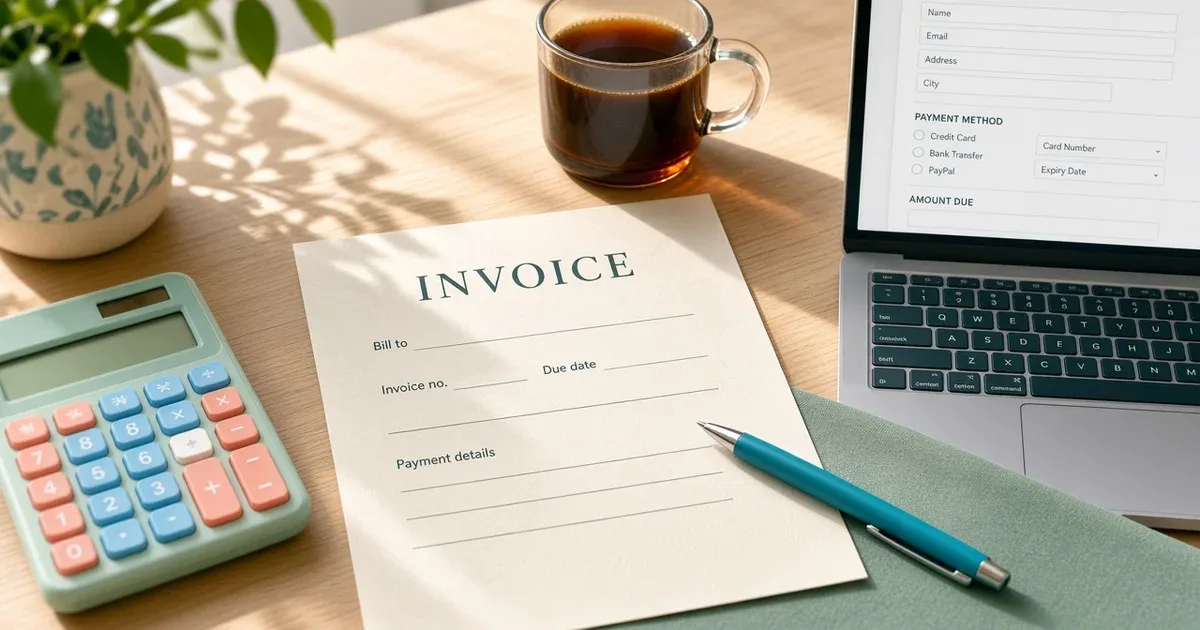
The invoice generator tool on this site lists the core fields a usable invoice needs. Each one is expanded below.
Your details. Your name or business name, email, and an address if the client needs one for their records. Use the same name the client knows you by, so the invoice is not mistaken for spam.
The client's details. The organisation name, the contact or accounts person, and their billing address if they have one. Many clients route invoices to a finance inbox; ask which address to use at the start.
A unique invoice number. One number per invoice, never reused.
An issue date and a due date. Both written as dates, not only as a term.
The work, with amounts. One line per deliverable, milestone or period, with quantity, rate and amount.
The total. Including any agreed discount or applicable tax shown as separate lines.
How to pay. The payment method and the details the client needs to use it.
A tax or business number, if asked. Include it when the client requests it or your country requires it.
Keep the invoice to one page where possible. A clean layout helps the client's accounts team check it quickly against what they approved.
Invoice numbers and dates
An invoice number lets both sides refer to one bill without confusion. A simple sequence such as INV-0001, INV-0002 is enough. Some freelancers add a year or a client code; any format works if every number is unique and the sequence has no duplicates.
Dates need the same care:
Issue date: the day the invoice is sent.
Due date: the day payment is due. Write the actual date, for example "Due: [date]", even if a term such as net 14 was agreed. A clear date removes the need for the client to calculate it.
Net terms are not a universal standard. "Net 30" means payment is due 30 days after the invoice date, but it is only one option. The right due date is whatever the agreement says. If nothing was agreed, set the term before the first invoice, not on it.
Describe the work so it matches what was agreed
Line items are where most queries come from. Write them so the person approving the invoice can match each line to the agreement or the approved delivery.
Use the same names as the agreement: "Homepage design, milestone 2", not "Design work".
Give the period for ongoing work: "Social media management, [month]".
Show quantity and rate for unit-based work: "12 articles x [rate]".
List approved extras on their own line, with a reference to the change request or message where they were approved.
Check the arithmetic before sending. A line that does not add up gives the client a reason to pause the whole invoice.
When to send a freelance invoice
Send the invoice at the point the agreement sets. Common patterns:
Upfront or deposit: before work starts, for all or part of the fee.
Per milestone: when each milestone is delivered or approved.
On delivery: when the final work is handed over.
On a cycle: at the end of each week or month for ongoing or hourly work.
Whatever the pattern, send the invoice promptly. An invoice sent weeks after delivery starts its due date late, and the client may have closed that budget. When the timing is written into the agreement from the start, the invoice simply follows it.
Payment details that are easy to use
The client should be able to pay without writing back. State the method (bank transfer, a payment platform, or another agreed option) and the details that method requires. If you accept more than one method, list them in order of preference. State the currency the invoice is in, and keep the whole invoice in that one currency.
If a currency conversion matters for your own records, note it privately rather than adding a second amount due.
Tax and business-number fields
Tax and invoicing rules differ by country, and they can differ again depending on whether the freelancer is registered for a tax and where the client is based. This article does not state a rate or a required ID format for any country.
The practical rule is: include a tax or business number when the client asks for it or your country's rules require it, and add tax as a separate line only when it applies to that client and that work. Check the official tax authority in your country, or a tax practitioner, for what applies. For freelancers in Pakistan, the invoice generator page notes it is not FBR e-invoicing software and explains when that distinction matters.
Tools for writing invoices
A freelancer with a few direct clients can work from a template. The invoice generator lets you fill the invoice fields in the browser and download a numbered PDF without an account. Freelancers who also want to track expenses, payments and reports in one ledger can compare accounting software options instead. Either approach works; what matters is that every invoice has the fields above.
Platform work stays on the platform
Do not issue a separate invoice for work done under an Upwork or Fiverr contract. The platform already handles the billing and payment record, and an off-platform invoice for that work can create confusion or break the platform's rules. Use a freelance invoice for direct clients only, and record marketplace income from the platform's own statements.
If the invoice goes unpaid
If the due date passes without payment, first confirm the invoice reached the right person and that the payment details are correct. Then follow up in writing, referring to the invoice number and due date. A complete invoice makes that follow-up much simpler, because the amount, the date and the work are already on record.
The next step is to build or update your template so every field above is filled before an invoice leaves your outbox.