
The YouTube Premium Family plan is a household subscription: one manager pays, then invites eligible members who share the same household under YouTube’s rules. Each member uses Premium on their own Google account.
This is the practical guide to how Family works, who can join, and when the math beats Individual. For overall pricing context, see How Much Does YouTube Premium Cost? Plans and Pricing Explained. For feature details, use What Does YouTube Premium Include? Features and Benefits Explained.
What the Family plan is
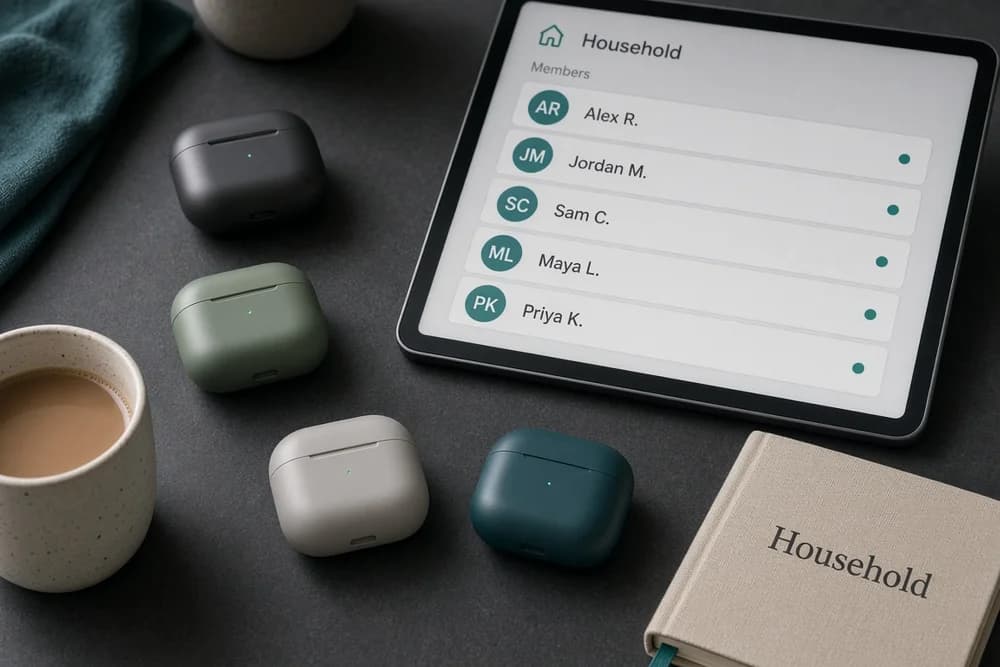
Family Premium is not a single login shared by five people. It is a membership group:
One person buys Family Premium (the family manager)
That person invites members
Invitees accept with their own Google accounts
Each accepted member gets Premium benefits while the Family subscription stays active
Sharing one password is the wrong model and creates account-security messes. Use invitations.
Who can use it
YouTube designs Family plans for people in the same household. Exact wording and enforcement live in Google/YouTube’s Family membership help pages, and they can update over time.
Practical interpretation:
Partners, kids, and relatives in one home are the intended users
Roommates in one household may fit if they meet the stated rules
Friends across cities are not what the product is for
If your situation is edge-case, read the official household requirements before you pay. Do not build a plan on a workaround you found in a comment thread.
What each member gets
Eligible Family members typically receive the same core Premium benefits available in your market for that plan, such as:
Ad-free YouTube viewing (with the usual Premium caveats)
Background play on supported apps
Offline downloads on supported apps
YouTube Music Premium benefits included with standard Premium
Members keep separate histories, subscriptions to channels, and recommendations. They do not merge into one profile.
Kids profiles and YouTube Kids setups can matter for parents. Set those up deliberately instead of handing a child an adult account.
How setup usually works
High-level steps:
Sign in as the person who will pay
Choose the Family Premium plan on YouTube’s offer page
Complete purchase
Open Family membership management and send invites
Each member accepts and signs in on their devices
After setup, confirm every member is signed into the invited account on phone and TV apps. Wrong-account sign-in is the top reason someone “didn’t get Premium.”
Family vs Individual vs Student
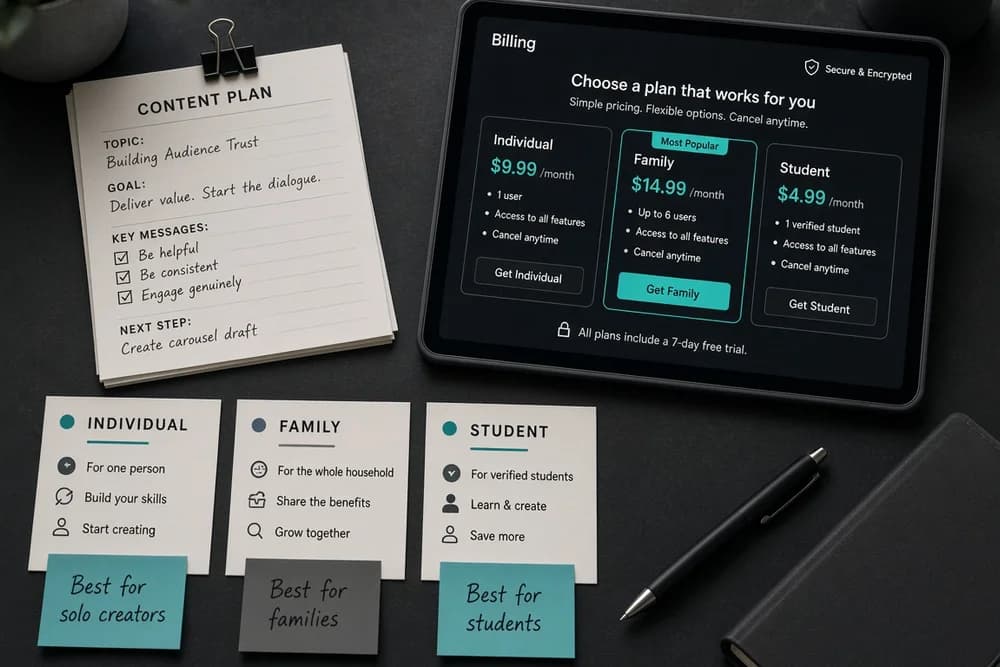
Situation | Better plan |
One adult, heavy use | Individual |
Two to six people in one household, several heavy users | Family |
Solo student who qualifies | Student (often cheaper than Individual) |
Music only for one person | Music Premium |
Student details: YouTube Premium Student Plan: How It Works and Who Is Eligible. Music comparison: YouTube Music Premium vs YouTube Premium: What’s the Difference?.
When Family is worth it
Family is worth it when:
At least two people will use Premium weekly
You already share a household under YouTube’s rules
The per-person cost lands clearly below separate Individual plans
Family is a weak buy when:
Only one person will use it
You planned to invite people who do not meet household rules
Nobody watches enough for Premium in the first place (see Is YouTube Premium Worth It? Pros and Cons Explained)
Management tips that prevent drama
Decide who pays and who can change payment methods
Remove members who leave the household
Do not recycle one Google password across the family
Teach members the difference between Premium and free channel subscriptions (Are YouTube Subscriptions Free? Complete Guide for Content Creators)
If someone creates content, Premium still will not replace their growth work (How to Start a YouTube Channel in 2026)
Common Family plan problems
Invite not accepted: Member must accept with the intended Google account.
Benefits missing on TV: TV app signed into a different account.
Payment failed: Whole Family can lose Premium until billing is fixed.
Too many members unused: You are subsidizing empty seats. Remove unused invites and reconsider Individual if only one person remains active.
Family plan and “can Premium be shared?”
Yes, through the official Family product and household rules. That is different from password sharing. If your question is mainly about sharing mechanics, this Family guide is the answer; pair it with the broader product explainer What Is YouTube Premium and How Does It Work?.
Payment, cancellation, and member changes
The family manager’s payment method funds the whole group. If that card fails, everyone can lose Premium until billing is fixed. Keep a backup payment method on the Google account if your household depends on the plan.
When someone moves out:
Remove them from Family membership management
Tell them Individual or Student may be their next option
Recalculate whether Family still beats Individual for the remaining users
Canceling Family ends benefits for invited members at the end of the paid period under Google’s standard subscription timing. Check the membership page for the exact renewal date before you assume an immediate cutoff.
Privacy and profiles inside one Family plan
Family members do not automatically see each other’s private activity just because they share a Premium plan. They still have separate Google accounts, watch histories, and channel subscriptions.
What families should still decide explicitly:
Whether kids use supervised experiences / YouTube Kids instead of an adult account
Whether a shared living-room TV stays signed into one person’s account
Who is allowed to change plan settings
A clean setup prevents “why did my recommendations change” arguments that are really sign-in problems.
Family Premium vs free for a household
If only one person hates ads and everyone else is fine on free YouTube, Individual for that one person can beat Family. Family shines when several people already complain about ads or already want Music features.
For the free-vs-paid framing at the product level, keep YouTube Premium vs Free: Is It Worth It? nearby while you do the household headcount.
Next step
Count real household users who watch YouTube weekly. Check the live Family price for your country, divide by that headcount, and compare to Individual. If Family wins on math and you meet household rules, buy Family and send invites the same day so nobody keeps paying for ads on a free account by mistake.