Upwork Hourly vs Fixed-Price: Which Contract Fits the Job?
Compare Upwork hourly and fixed-price contracts: how each pays, how payment protection works, and which contract fits the scope of a job before you accept it.
·6 min read
Both an Upwork hourly contract and a fixed-price contract can include payment protection, but the conditions are not the same. Hourly protection depends on time logged with Upwork's time tracker and on other official criteria. Fixed-price protection depends on a funded milestone and work submitted through Upwork. The choice is which set of conditions fits the job before an offer is accepted.
Short definitions of the two types already exist in contract types in brief and in the beginner guide to two contract types. This article covers the choice and the protection rules. The figures below come from Upwork Help and an Upwork resources article, all opened on 11 November 2026. They can change, so the current Help pages and the confirmation screens in the contract are the places to re-check.
How an hourly contract pays
On an hourly contract, Help says time is invoiced by logging it with the time tracker in the Upwork Desktop App. That logged time is what the client can review in the work diary, including work-in-progress snapshots when the tracker is used.
The work week and payout cycle are described in Upwork's resources article on closing a contract, opened 11 November 2026: the work week ends at midnight UTC on Sunday, the client is invoiced on Monday, the client has until Friday to approve or dispute the hours, and funds are released the following Wednesday. Help's work-diary article, checked the same day, says the previous week's diary is no longer editable after Monday at noon UTC. Once an hourly contract ends, the same resources article says the work diary locks and additional hours cannot be logged.
Payment for tracked hours is not automatic protection for every segment in the diary. The hours have to meet Hourly Payment Protection criteria, which are listed in the next section. Time over the weekly limit is not billable, and Help marks those segments separately in the diary.
How a fixed-price contract pays
On a fixed-price contract, Help says the client deposits funds before work starts, with a minimum of USD 5.00 per milestone on the protection page opened 11 November 2026. The freelancer submits the work for approval through Upwork. If the client approves the milestone, the funds are released. If the client does not approve the work or request changes, Help says the funds are automatically released 14 days after submission.
Hours do not have to be tracked for that protection. A short marketplace note on milestones or time tracking is enough for orientation; the protection rules themselves sit in Help.
The same resources article also describes a dormant fixed-price contract: it becomes dormant after 90 days of inactivity from the latest milestone's due date. If funds are in escrow, Upwork notifies the client. If the client takes no action within seven days, the freelancer then has seven days to request the funds, and the client has 14 days to respond. If the client does not respond, the funds are automatically released to the freelancer. If neither side takes action, the escrow funds are automatically released to the client. That sequence is time-sensitive; confirm it on the current resources or Help page before relying on it.
What payment protection covers and what it excludes
Hourly contracts
Help's freelancer page on Hourly Payment Protection, checked 11 November 2026, says all of the following must be true: the contract is hourly; hours were logged with the time tracker in the Upwork Desktop App; activity in the screenshots relates to the contract; memos or activity labels in the work diary describe the work; activity levels are adequate and fair; hours stay within the contract's weekly limit; the freelancer's identity is verified; the client is using a verified billing method; and the freelancer's Upwork account is in good standing.
Help excludes work-diary segments that were added manually, are idle or empty, are over the weekly limit, show non-work-related activity, or have missing or inadequate memos. Meeting the work-diary requirements is essential, Help says, but it does not by itself guarantee protection. The identity, billing-method, and account-standing tests still have to be met.
If a client disputes hourly time, Help says Upwork pauses the contract and sets the weekly limit to zero. The freelancer has three days to decline or accept the dispute. If there is no response, Upwork investigates and protects hours that qualify; funds outside Hourly Payment Protection may be lost.
Fixed-price contracts
Fixed-price protection, on the same "How Upwork protects your payments" page, depends on funds deposited for the milestone before the work, and on the work being submitted through Upwork. Help says the freelancer can file a dispute if the client refuses to release payment for a completed milestone. Hourly Payment Protection does not apply to fixed-price projects.
Work done, or payment promised, outside Upwork is not covered by these rules. Help's scams FAQ, opened 11 November 2026, says that if payments and communication happen outside the platform, Upwork cannot track or verify the transaction, and the protection offered by Upwork is forfeited.
Choose by the shape of the job
The useful question is not which label sounds simpler. It is which protection model matches the work.
Choose a fixed-price contract when the deliverable, the due date, and what is excluded can be written clearly enough to fund as a milestone (or a short series of milestones) before work starts.
Choose an hourly contract when the scope is still being discovered, is likely to shift, or cannot be broken into fundable deliverables, and when the work can actually be logged with the time tracker.
Do not treat an hourly contract as a way to skip a written scope, and do not treat a fixed-price contract as protected if the milestone is not funded.
The percentage and where the fee appears on hourly versus fixed-price bills are covered in the fees post, not here.
Before accepting an offer
Check the protection conditions while the offer can still be accepted or changed, not after work has started.
For a fixed-price offer: confirm the milestone amount, that funds will be deposited before work starts, and that the deliverable being funded is written clearly.
For an hourly offer: confirm the weekly limit, whether manual time is allowed, and that the work can be logged with the time tracker. Help requires a client with a verified billing method for Hourly Payment Protection.
For either type: confirm the start date and that payment will stay on Upwork.
Once the type is chosen, before you start work is covered in the after-you-win guide, including funded milestones, starting the tracker, and the first message.
When a client asks to switch contract type or work outside the contract
Help's page on switching contract type, checked 11 November 2026, says a switch from hourly to fixed-price, or the other way, is not an edit to the live contract. It requires ending the current contract and starting a new one, with terms both sides have agreed to. After the close, both sides have 14 days to leave feedback. Check that Help page for any fees that may apply when a new contract is opened.
A request to move the work, or the payment, off Upwork is a different problem. Help's scams FAQ says off-platform payments are not recoverable through Upwork, are not covered by payment protection, and can violate the Terms of Service. Decline that request and keep the record in Upwork Messages.
Closing a contract
When an hourly contract ends, the work diary locks. When a fixed-price contract is closed, both sides can leave reviews. The resources article notes that closing is also how feedback is unlocked. End-of-contract review steps are not repeated here; check how the contract actually ended, and keep the submission or diary record that protection depends on.
Frequently asked questions
Can manual time be paid under hourly protection?
+
Upwork Help, checked 11 November 2026, says Hourly Payment Protection does not apply to manual time. Manual time can still be billed if the client has allowed it on the contract, but it is not covered by that protection.
What happens if the client does not respond to a submitted milestone?
+
Upwork Help, checked 11 November 2026, says funds are automatically released 14 days after submission if the client does not approve the work or request changes.
Can the contract type change after an offer is accepted?
+
Upwork Help, checked 11 November 2026, says switching from hourly to fixed-price, or the other way around, requires ending the current contract and starting a new one with terms both sides have agreed to. After that close, both sides have 14 days to leave feedback. Check the same Help page for any fees that may apply when a new contract is opened.
Is a bonus covered by payment protection?
+
Upwork Help, checked 11 November 2026, says Hourly Payment Protection does not apply to bonuses, manual time, or fixed-price projects.
Does the service fee differ between hourly and fixed-price?
+
This article does not restate fee percentages. The live fees post covers how the freelancer service fee shows on each type of bill.
Abid Ali is a full-stack web developer and freelancer based in Pakistan. He creates projects using React, Next.js, and Node. He writes helpful guides on freelancing.
November 11, 2026
Read Article
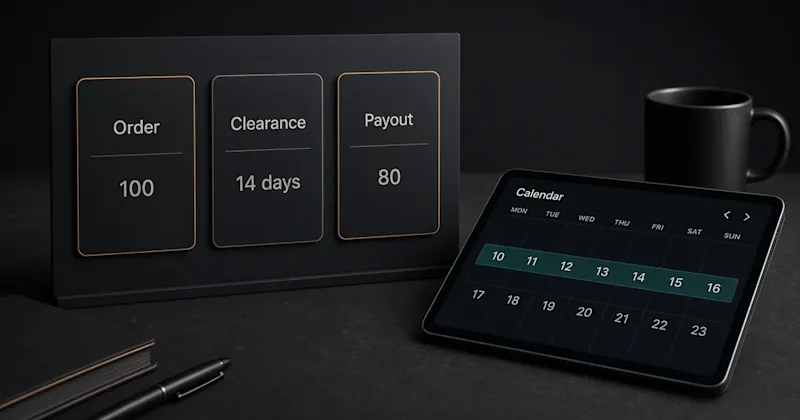
A $100 Fiverr order leaves the seller $80. It clears in 14 days, or 7 for Seller Plus, Top Rated, and Pro Talent, then a payout method sends it to the bank.