Upwork Job Success Score: How It Works and What Moves It
Learn how Upwork calculates Job Success Score, what the score ranges mean, which contract outcomes move it and what to check when it drops or shows no score.
·7 min read
The Upwork Job Success Score, called JSS on Help pages, is Upwork's published metric for client satisfaction with work on the platform. Upwork's resources article on the score (opened 11 November 2026) says the figure appears next to the freelancer's name on search results, proposals, and the profile, alongside any talent badges. Readers who still need marketplace basics can start with what Upwork is. This article covers how the score works and what moves it.
These rules come from Upwork Help and that resources article, all opened on 11 November 2026. Where official pages disagree, this article names both and does not pick a single rule. The details can change, so re-check the current Help pages and Job Success insights.
What the score is and when it appears
Help describes Job Success Score as a measure of clients' satisfaction with work on Upwork. It is built from contract history: client feedback, reasons contracts ended, higher-value projects, and long-term client relationships.
The "no score" state
A profile can show no score. The resources article gives two official reasons: the freelancer still needs more work to establish a score, or the number of eligible jobs has dropped below two.
Help's page on when a score first appears says it shows once there are two or more contract outcomes within 24 months, and outcomes with two or more clients during the freelancer's time on Upwork. Help's page on a disappearing score says at least two completed jobs with two different clients in the past 24 months are needed to keep it. Those official sentences are close but not identical, so treat Job Success insights as the record of whether the minimum has been met.
Clients see the score on the profile. The freelancer's detail sits in Job Success insights, opened from the profile icon, then Stats and trends, then View insights, or by selecting the score on the profile (Help, checked 11 November 2026). Insights are not yet available for agencies or exclusive agency freelancers. If a freelancer is exclusive to an agency, Help says the agency's score is shown on the profile.
How Job Success Score is calculated
The 6-, 12- and 24-month windows
Help says the score is calculated daily from the 6-, 12- and 24-month history. A score is calculated for each window, and the best of those scores is shown on the profile. A change can reflect recent work, or work rolling out of a window: a contract no longer counts in the six-month window once it is six months and one day old. Only contracts with transactions in those windows affect the score, timed from the contract's most recent transaction, not from the contract end date. After a transaction, Help says the contract appears in insights under eligible or ineligible jobs within 48 hours.
The outcomes ratio, in Upwork's own words
The short calculation article states the high-level ratio like this: successful contract outcomes minus negative contract outcomes, divided by total outcomes. Help does not publish a fuller public formula. Job Success insights is where an individual contract's effect is shown.
Contract value and length
Help is consistent on value: jobs with higher earnings have a bigger impact, in either direction. On length, the insights article (opened 11 November 2026) says every 90 days with payment is weighted as an extra "job" toward the score, up to a maximum weight of eight jobs, and that a job is considered successful when its payment activity extends beyond 90 days from the client's first payment, including jobs that end without client feedback. Contracts with a rate change can have a greater overall impact, positive or negative. After public feedback is submitted, insights says earnings from all rate terms count toward the final score.
Score ranges and what Upwork says about them
For named bands, this article uses Upwork's resources article on improving Job Success Score, opened 11 November 2026, the official page that comes closest to answering what is a good Job Success Score. It calls 90% or higher excellent and on track for Top Rated or Top Rated Plus; 80% to 89% good; and 79% or below needs improvement, which may make it more difficult to secure new clients.
The main Help article, "All about your Job Success Score," does not name the 80% to 89% band. It calls 90% or above excellent and on track for Top Rated, then says that if the score falls below 79%, it may be difficult to connect with new clients or win new projects. The two official pages disagree at that 79% and 80% boundary, so both are quoted here.
What can raise or lower it
Help lists client feedback, contract-ending reasons, higher-value projects, and long-term relationships as the main factors. Official pages name good feedback, successful completions, and long-term payment activity as positive, and negative feedback, a no-payment or disputed ending, and a poor review on a higher-earnings job as negative. Help's factors page also states that a contract with no payment but with negative feedback can still affect the score, while a contract with no payment and no feedback does not.
Long-term work needs a careful reading. The main Help article says longer-term relationships can boost the score, but that not having them does not count against the freelancer. The drop article says long-term clients (90 or more days of working relationship) help the score, and that losing them may cause a drop. The factors page lists "lack of long-term contracts" among negative impacts.
A full refund does not automatically protect the score. Help says a full refund removes written public feedback from the profile, but the client's other feedback, such as ratings on a 1 to 5 scale in certain areas, is still considered in the Job Success Score. Client feedback is one input; how to request reviews is covered in the follow-up post, not in a second copy here.
Clients flagged for poor collaboration
Upwork tracks freelancer feedback about clients and flags clients with a history of poor collaboration. If a client has already been flagged, or has been suspended for Terms of Service violations, that client's feedback will not count against the Job Success Score. The exclusion, when it applies, should show in Job Success insights.
Using Job Success insights to find why it changed
Insights shows how a score is calculated, which factors apply, and which recent jobs are eligible or ineligible. For someone without a score, Help says the page explains what is still needed.
On an eligible contract, insights uses a checkmark for a factor that helped, an exclamation mark for discrepancies that are hurting the score, and an X for a negative impact. Help says the exclamation mark is most often seen in client satisfaction, "where private feedback may differ from public feedback." The resources article and the end-of-contract review Help page both say an optional private note does not impact Job Success Score, and that the older private rating has been removed. Insights still uses the phrase "private feedback" for that marker. This article does not choose between those official descriptions.
Insights lists why a job can be ineligible next to the contract, including an aged-out last transaction, a job outweighed by a higher-value contract, and a job with no earnings or no feedback, with an exception for long-term relationships. Help notes that a score can move when no new feedback arrived, often because a contract became ineligible. Insights shows only the current score, and detailed comments may take 14 days to appear.
A drop, step by step
Open Job Success insights and confirm the current score and which of the 6-, 12- or 24-month windows is being shown.
Look at eligible jobs first, and note which contract is marked as helping or hurting the score.
Check how that contract ended: completed with feedback, ended with no payment, ended in a dispute, or refunded. A refund can hide public comments and still leave ratings in the calculation. A drop often traces to how a contract ended; closing the first contract is covered in the after-you-win post.
If the score moved with no new feedback, check the ineligible list for a job that aged out, was outweighed, or became ineligible for another reason listed on the page.
Confirm whether that client has been flagged or suspended, in which case Help says the feedback will not count against the score.
Score and Top Rated
Official JSS pages treat 90% or above as the Job Success Score line connected with Upwork Top Rated. The resources article, opened 11 November 2026, says at least 90% is needed to be eligible for and maintain Top Rated. Top Rated has other requirements besides the score. Rising Talent and Top Rated use the score as one condition; the Connects post already lists those badge eligibility rules. The current list is also on Upwork's Top Rated Help page.
Frequently asked questions
Why does an Upwork profile show no Job Success Score?
+
Upwork Help, checked 11 November 2026, says the score appears once there are two or more contract outcomes within 24 months and outcomes with two or more clients during the freelancer's time on Upwork. A later Help page on a missing score says at least two completed jobs with two different clients in the past 24 months are needed to keep it, and that ineligible contracts (for example, no earnings or feedback) do not count. The exact wording differs slightly by page, so the current Job Success insights screen is the place to confirm the count.
How often is the score updated?
+
Upwork Help, checked 11 November 2026, says Job Success Score is calculated daily. The profile shows the best of the 6-, 12- and 24-month windows. A contract usually appears in Job Success insights under eligible or ineligible jobs within 48 hours of a transaction.
Does a client who was flagged hurt the score?
+
Upwork Help, checked 11 November 2026, says feedback from a client who has been flagged for a history of poor collaboration, or suspended for Terms of Service violations, will not count against the Job Success Score.
Is a score below 90% bad?
+
Upwork's resources article on improving Job Success Score, opened 11 November 2026, calls 90% or higher excellent, 80% to 89% good, and 79% or below needs improvement. The main Help article does not name the 80% to 89% band. It says 90% or above is excellent, and that a score that falls below 79% may make it harder to connect with new clients. Neither page labels every score under 90% as bad.
Can a long open contract with no activity affect the score?
+
The Upwork Help pages opened on 11 November 2026 do not state that a long open contract with no activity, by itself, lowers Job Success Score. The calculation article times a contract from its most recent transaction, not from the contract end date. Check that contract in Job Success insights rather than assuming a rule Help does not publish.
Abid Ali is a full-stack web developer and freelancer based in Pakistan. He creates projects using React, Next.js, and Node. He writes helpful guides on freelancing.
November 11, 2026
Read Article
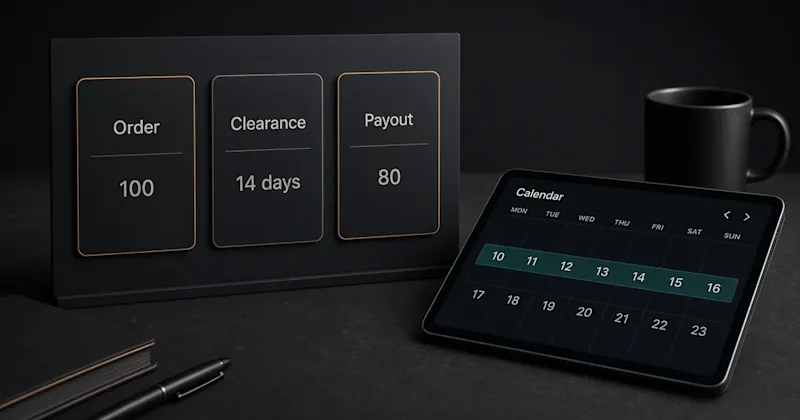
A $100 Fiverr order leaves the seller $80. It clears in 14 days, or 7 for Seller Plus, Top Rated, and Pro Talent, then a payout method sends it to the bank.