
Yes, HTML is still relevant in 2026, and the question is worth asking honestly rather than dismissing. Assistants generate whole pages from a sentence. Site builders ship layouts without showing you a single tag. If your first exposure to web development came through one of those tools, it is fair to wonder whether learning markup is time well spent.
The short answer: what you type has changed, what you need to understand has not. HTML is still the format browsers actually receive, and every framework, generator, and builder eventually produces it. You are no longer competing with a machine on typing speed. You are being asked to judge output, which is harder and needs more knowledge, not less.
This is written for junior developers and students. If you already ship production front ends, most of this will be familiar.
Why HTML is still the foundation
Strip away the build step and the component layer, and the browser receives text with tags. React, Vue, Svelte, Astro, a static site generator, a no-code builder: all of them are compilers pointed at the same target.That matters practically. When a page renders wrong, the debugging path ends in the elements tab of your dev tools, looking at markup. When a screen reader announces something confusing, the cause is in the markup. When a form silently fails on mobile, the input type is usually to blame.
HTML is also the most forgiving language on the platform, which is a double-edged trait. Browsers repair broken markup instead of throwing errors, so bad structure ships quietly and shows up later as an accessibility complaint or a layout bug nobody can reproduce.
What actually changed in how developers write HTML
The honest description of 2026 workflow is this: fewer people hand-type boilerplate, more people review generated structure.
A typical session now looks like describing a component, receiving forty lines of markup, then editing it. The editing is the job. That shifts the required skill from recall (what attribute do I need for a checkbox group?) to evaluation (is this structure correct, accessible, and maintainable?).Two other shifts worth noting:
Markup is increasingly generated at build time from data, so structural errors get multiplied across hundreds of pages instead of appearing once.
Design-to-code tools produce technically valid output that is often semantically flat, meaning divs where meaningful elements belong.
Neither is an argument against the tools. Both are arguments for knowing what correct output looks like.
Generated code versus understanding the fundamentals
Here is the failure mode juniors hit most often. An assistant produces this:
<div class="form-row">
  <div class="label">Email</div>
  <input type="text" class="input" />
</div>
It renders. It matches the design. It is also wrong in ways the browser will never complain about. There is no label element, so clicking the text does not focus the field and screen readers announce an unlabelled input. The type is text, so mobile keyboards show no @ key and the browser cannot validate the value.
The corrected version is barely longer:
<div class="form-row">
  <label for="email">Email</label>
  <input type="email" id="email" name="email" autocomplete="email" required />
</div>
You only catch that difference if you know it exists. The tool did not lie to you, it just optimised for something that looks right. Reviewing markup you cannot read is not review, it is hope.
Semantic HTML still matters, and here is the concrete reason
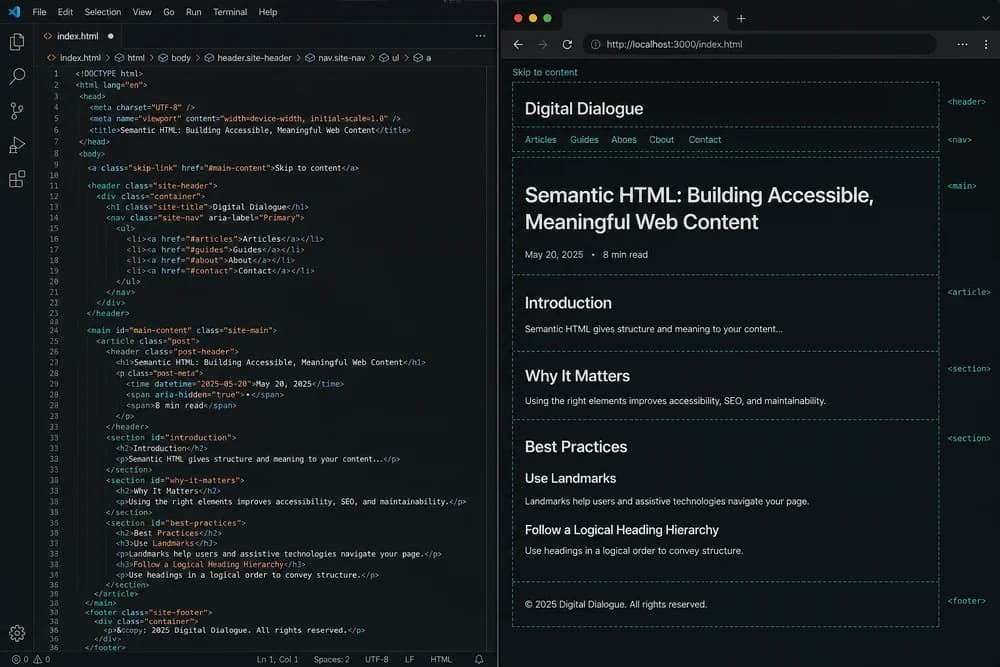
Semantic HTML means choosing elements for meaning rather than appearance. nav for navigation, main for primary content, button for things that act, a for things that navigate.
Compare:
<div class="header">
  <div class="nav">...</div>
</div>
<div class="content">
  <div class="title">Pricing</div>
</div>
with:
<header>
  <nav>...</nav>
</header>
<main>
  <h1>Pricing</h1>
</main>
Both can look identical. Only the second communicates anything. That structure is what powers keyboard navigation, browser reader modes, landmark navigation in screen readers, content extraction, and translation tools.
One common mistake: choosing heading levels by font size. Headings describe hierarchy, not scale. If h2 looks too big, change the CSS, not the tag.
Accessibility is where sloppy markup breaks first
Accessibility is the area where correct HTML does the most work for free.
A native <button> gives you keyboard focus, Enter and Space activation, the correct role, and disabled state handling. A <div onclick> gives you a click handler and a support ticket. The first rule of ARIA holds: prefer the native element over recreating its behaviour.A short checklist you can apply to any generated page:
Tab through it with the keyboard only. Can you reach and activate everything, and can you see where focus is?
Does every input have an associated
label?Do images have
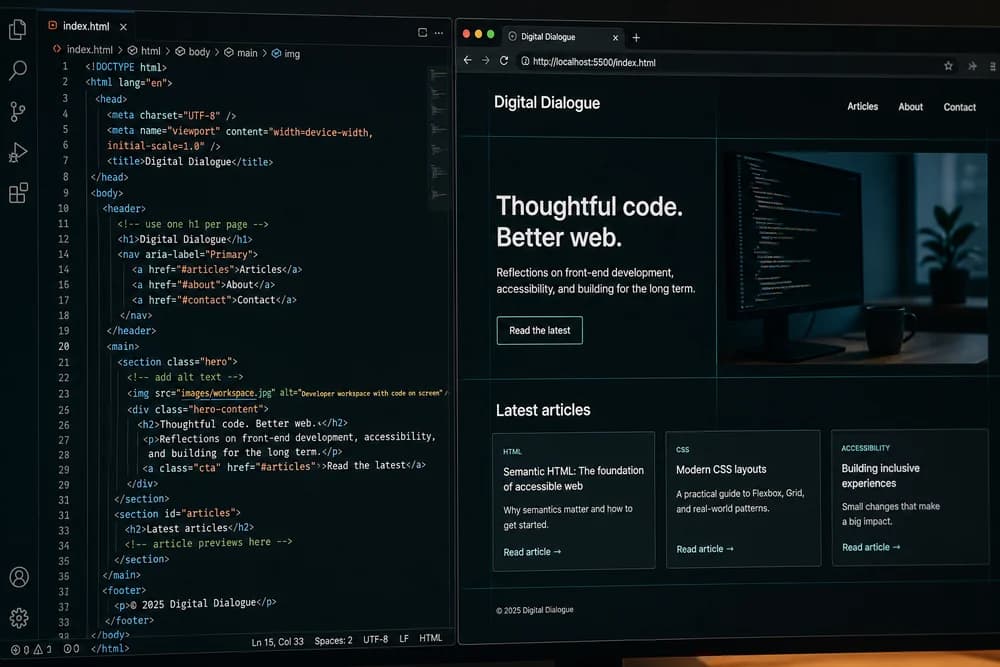
alttext that describes purpose, with emptyalt=""for decoration?Is there exactly one
h1, with headings descending in order?Does the page have a
langattribute on<html>?
Those five checks catch a large share of real-world problems, and none of them require a tool.
HTML, search engines, and machine-readable content
Search engines parse structure. Clear headings, descriptive links, meaningful elements, and structured data make a page easier to interpret. That is different from saying semantic markup gets you ranked higher. It does not guarantee rankings, and anyone promising that is selling something.
What it does is remove ambiguity. Compare <a href="/pricing">click here</a> with <a href="/pricing">See pricing plans</a>. The second is better for users, for assistive technology, and for anything parsing your page.
Structured data sits alongside your markup for the same reason:
<script type="application/ld+json">
{
  "@context": "https://schema.org",
  "@type": "Article",
  "headline": "HTML in 2026",
  "datePublished": "2026-08-15"
}
</script>
That is an explicit statement about what the page is, rather than leaving a parser to infer it.
How automated agents read your pages
This part is genuinely in motion, so treat it as direction rather than settled fact. More traffic now comes from software reading pages: crawlers, summarisers, assistants fetching content, and agents attempting tasks on a user's behalf.
These systems face the same problem screen readers have faced for decades. They need to work out what a region of a page means without seeing it. A page built from meaningful elements and clear labels is easier to parse than a wall of nested divs styled into shape.
The useful conclusion is not that you should optimise for agents specifically. It is that the practices which already help humans with assistive technology tend to help machine readers too. Building well once covers both.
Modern HTML features worth knowing
HTML keeps gaining capability that used to require JavaScript libraries:
<dialog>for modals with built-in focus handling and a top layerThe Popover API for tooltips, menus, and disclosure panels
<details>and<summary>for accordions with zero scriptloading="lazy"on images and iframesInput types such as
email,tel,date, andsearch, which change mobile keyboards and enable native validationinertfor making offscreen regions unreachable
A working example that many juniors still reach for a library to build:
<details>
  <summary>Do you offer refunds?</summary>
  <p>Yes, within 14 days of purchase.</p>
</details>
Knowing these exists is what stops you from accepting a 200-line generated component that reimplements a browser feature badly.
Web Components and reusable markup
Web Components let you define custom elements that work without a framework:
<user-card name="Amina" role="Designer"></user-card>Custom elements, shadow DOM, and templates give you encapsulated, reusable pieces built directly on HTML. They are a reasonable fit for design systems shared across teams using different frameworks, or widgets embedded in sites you do not control.
They are not a replacement for React or Vue in most application work, and tooling around them is still thinner. Learn what they are and when they fit, rather than adopting them by default.
Should beginners still learn HTML in 2026?
Yes, and it should take days, not months. HTML is small compared to the rest of the stack. The mistake is not skipping it, it is over-investing in it. You do not need to memorise every element. You need fluency in the parts that appear constantly:
Document structure and metadata
Forms, inputs, labels, and validation attributes
Headings, lists, links, and tables
Images,
alttext, and responsive image attributesLandmark elements and basic ARIA awareness
Then move on to CSS, JavaScript, and building actual projects. Return to HTML when you hit something specific.
What generated markup gets right, and where it slips
Fair assessment matters here. Generated HTML is genuinely good at boilerplate, repetitive structure, table markup, form scaffolding, and getting from blank file to working prototype fast. That is real time saved, and refusing to use it is not a principled stand.
Where it commonly slips:
Div-heavy structure with no landmarks
Heading levels chosen visually
ARIA attributes bolted onto elements that had the behaviour natively
Missing or generic
alttextReinventing
dialogordetailsin JavaScriptInconsistent patterns across files, since each generation is independent
None of those are fatal. All of them are invisible to someone who cannot read the output.
Practical advice if you are learning now
Build one page by hand, no assistance. A contact form with proper labels, validation, and a table is enough.
Run it through a validator and an accessibility checker, then fix what they flag.
Now generate the same page with a tool and diff the two. The differences are your curriculum.
Make keyboard-only testing a habit before you call anything finished.
When you accept generated markup, be able to explain why each element was chosen. If you cannot, look it up before merging.
Where HTML is heading
Cautiously stated: HTML is likely to keep absorbing patterns that currently require JavaScript, the way dialog and popovers did. Structured, machine-readable content will probably matter more as automated consumers of the web grow. And the day-to-day act of authoring markup will keep shifting toward specifying and reviewing rather than typing.
What does not look likely is HTML disappearing. It is a living standard with no successor in sight and roughly every website in the world depending on it.
Pick one page you have already built, open it, and tab through it with the keyboard. Whatever you cannot reach or cannot identify is your next thing to learn.